17 downloads 237 views 1 like Jul 25, 2026
PinePix by Minki the Avali
Updated Jul 25, 2026
- Added support for transparency - Added render to texture feature - New FBX to P3D converter with UV support - Texture alignment bugfixes
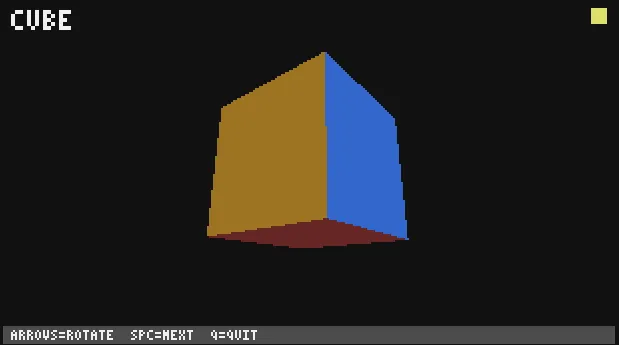
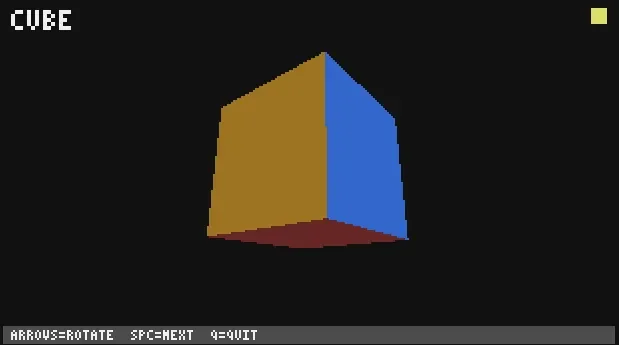
PinePix -- CC:Graphics pixel mode helper for Pine3D
This module adds pixel mode rendering and directional lighting on top of stock Pine3D. It requires CraftOS-PC / CC:Graphics mod (term.setGraphicsMode must exist).
Pine3D itself is unchanged - you will need to place betterblittle.lua and Pine3D.lua inside this directory to run the example.
==> https://github.com/Xella37/Pine3D
FEATURES
Pixel mode (256-colour framebuffer)
  Switches the terminal to CraftOS-PC graphics mode 2.
  The Pine3D color buffer is blitted to the screen as raw pixels.
  The 16 CC palette entries are replicated at 80%, 65%, and 50% brightness
  to give 64 usable palette slots for shading.
Directional lighting
  Each polygon is dot-product shaded against a world-space light direction.
  Four shade levels: full, 80%, 65%, 50%.
  The light vector is transformed into each object's model space so shading
  stays correct as objects rotate.
Winding fix
  Pine3D culls faces designed for interior (dungeon) rendering.
  Both pixel mode and teletext mode include a v1<->v2 winding swap so that
  outward-facing geometry renders correctly from an exterior camera.
Pixel font
  gfx.drawString draws 3x5 pixel text directly to the framebuffer.
  Supports A-Z, 0-9, and a handful of symbols. Input is uppercased
  automatically.
OC colour space
  gfx.enableOC() programs all 256 palette slots with the OpenComputers
  fixed colour grid (5x8x6 RGB entries 0-239 plus a 16-step greyscale ramp
  240-255). Textures are quantized to the nearest OC colour at registration
  time using squared RGB distance. Solid geometry colours are pre-mapped via
  a lookup table built at enableOC() time. CC palette slots 0-15 are saved
  before overwriting and restored automatically on gfx.disable().
Texture mapping
  gfx.drawTexturedObjects allows for rendering objects with mapped textures
  through a UV space onto the screen. It is pixel accurate but costly if
  many textures are to be drawn.

  gfx.drawFastTexturedObjects is a faster variant of drawTexturedObjects
  that interpolates UV coordinates linearly across each scanline instead of
  correcting for perspective. There is no per-pixel division, so rendering
  is noticeably faster on complex geometry. Textures may warp slightly on
  oblique or steeply angled faces.
  Now also supports reading magenta as transparent and allows rendering scenes into textures.
P3D binary model format
  gfx.loadModel reads a compact P3D v1 binary file into a polygon table
  ready for drawTexturedObjects. A face costs 31 bytes on disk versus
  roughly 200 bytes as embedded Lua. convert_obj.py converts OBJ files to
  P3D + BMP texture in one step.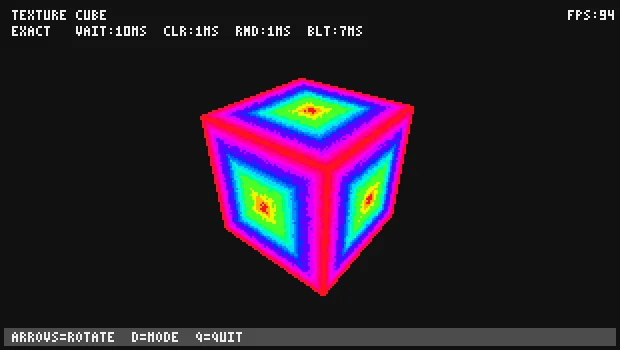
comments
You can login with Discord to leave comments and reply to others!
There are no comments yet